Xpensplit Utility Bill Guide: Manage Shared Household Expenses
Introduction
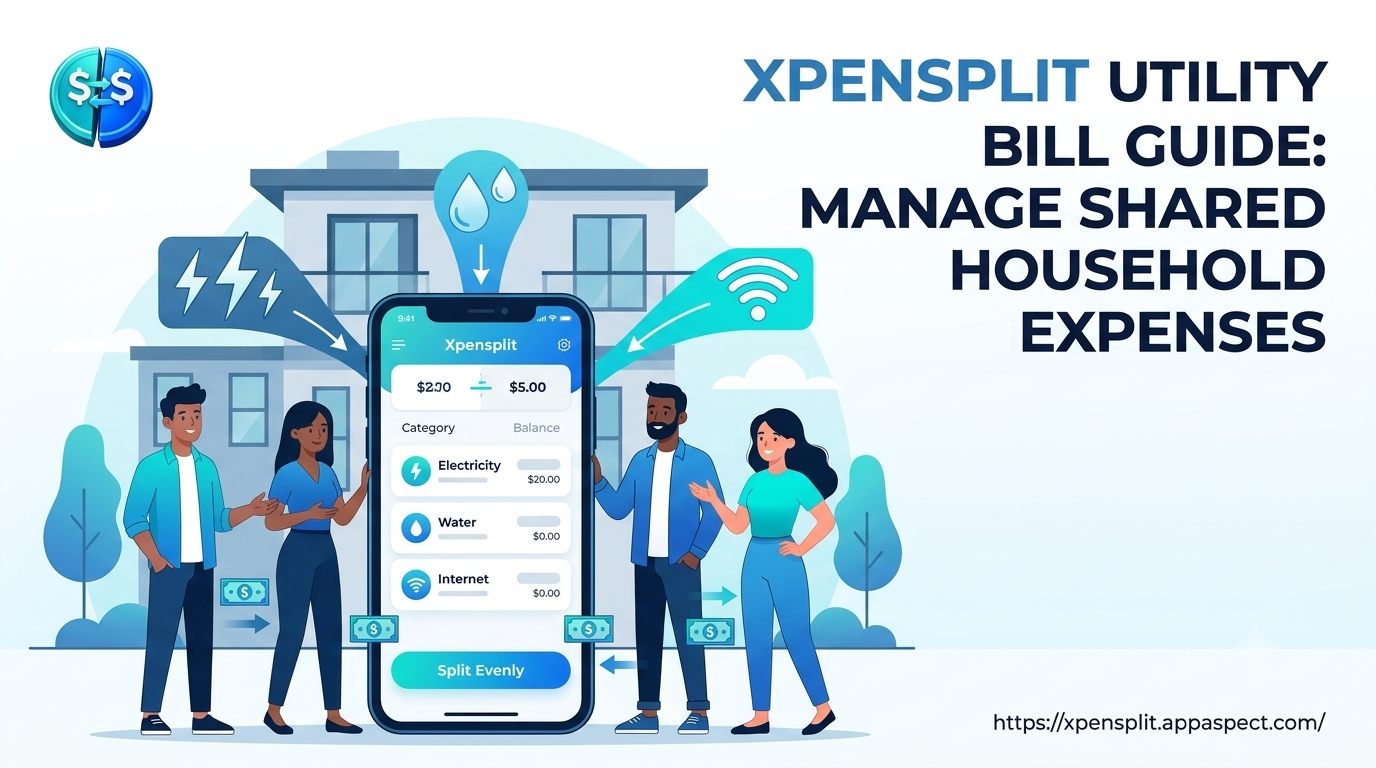
Xpensplit utility bill guide helps roommates and families turn chaotic utility payments into a smooth, transparent process. Young adults who share a flat often struggle with who pays what, when invoices arrive, and how to settle debts without endless group chats. This guide shows how to set up Xpensplit, organize each provider, automate recurring splits, and use AI receipt scanning so every electricity, water, and internet bill lands in the right pocket on time.
Set Up Xpensplit for Household Utility Bills
Start by creating a single Xpensplit account that all housemates can access as members. After downloading the app, follow these steps:
- Create a household group - name it after the address or flat number so everyone knows which expenses belong together.
- Invite roommates - use their phone numbers or email addresses; each invitation generates a secure link that adds them instantly.
- Add a shared payment method - Xpensplit lets you store a bank account or digital wallet that can be used for group payouts, reducing the need for manual transfers.
NOTE Each member should set a unique nickname in the group to avoid confusion when viewing split logs.
Once the group is live, you can start adding utility expenses. The app’s manage household expenses feature automatically categorizes entries as electricity, water, gas, internet, or other services, keeping the ledger tidy.
Create Separate Groups for Each Utility Provider
Splitting every bill in one giant list can quickly become unreadable. Instead, create sub-groups that mirror your actual service contracts. Xpensplit lets you add multiple groups under a single household umbrella, each linked to a specific provider.
- Electricity Group - track monthly kWh usage, fixed charges, and any late fees.
- Water Group - separate fixed meter rent from consumption-based charges.
- Internet Group - handle broadband plans, data overage, and router rental fees.
When you add a new expense, select the appropriate sub-group; the app tags the entry and updates the corresponding split automatically. This structure makes it easy to generate provider-specific reports, which are handy during lease renewals or when negotiating rates.
Automate Bill Splitting with Recurring Expenses
Most utility bills follow a predictable cycle, so manual entry quickly becomes a waste of time. Xpensplit’s automate recurring bills capability lets you schedule each invoice once and forget about it.
- Open the expense entry screen and tap Set Recurrence.
- Choose the billing frequency - monthly, bi-monthly, or quarterly - matching your provider’s cycle.
- Define the split ratio; most flat-share arrangements use an even 50/50 split, but you can assign custom percentages for rooms of different sizes.
- Save the template; Xpensplit will generate a new entry on the due date, notify all members, and update each person’s balance automatically.
TIP Enable push notifications for the recurrence reminder so no one misses a payment deadline.
By automating recurring expenses, you eliminate the “who owes what” debate and ensure that every bill is accounted for before the due date.
Use AI Receipt Scan to Track Utility Payments
Paper statements and PDF invoices still arrive for many providers. Xpensplit’s AI receipt scan utilities feature converts those documents into structured data with a single photo.
- Snap a clear picture of the bill using your phone’s camera.
- The AI extracts key fields: provider name, billing period, total amount, and due date.
- Review the auto-filled entry, adjust the split if needed, and confirm.
The scan works for both printed and digital receipts, reducing manual typing errors. Over time, the AI learns common layouts from your providers, speeding up future scans. This tool is especially useful for tracking occasional charges such as connection fees or seasonal adjustments that don’t follow the regular recurrence pattern.
FAQs
How do I split utility bills with Xpensplit?
Select the relevant utility group, add the bill amount, and choose the split method. Xpensplit instantly calculates each member’s share and updates their balances, so everyone sees their portion in real time.
Can Xpensplit automate recurring household expenses?
Yes. Use the Set Recurrence option when creating an expense. Choose the billing interval and split ratio, and Xpensplit will generate a new entry on each due date, notify the group, and adjust balances automatically.
What is the best way to track electricity and water costs in Xpensplit?
Create dedicated sub-groups for electricity and water under your main household group. Assign each bill to its proper sub-group, enable recurrence for monthly charges, and use AI receipt scanning for any paper statements. This keeps the ledger organized and makes provider-specific reporting effortless.
How does AI receipt scanning work for utility payments?
The AI reads the photographed bill, extracts provider name, period, amount, and due date, and pre-fills an expense entry. You confirm or edit the details, then save. The process eliminates manual data entry and reduces errors.
How can roommates settle utility debts instantly with Xpensplit?
When a balance becomes positive for a member, Xpensplit shows a Settle Now button that triggers an instant transfer using the stored payment method. The settlement updates the ledger instantly, so the group always sees a zero-sum state.
Key Takeaways
- Set up a single household group and invite all roommates to centralize expense tracking.
- Use separate sub-groups for each utility provider to keep records clear and searchable.
- Automate recurring bills to avoid missed payments and manual entry.
- Leverage AI receipt scanning for paper invoices and irregular charges.
- Settle debts instantly through the built-in payment feature for a frictionless experience.
Conclusion
A well-structured Xpensplit utility bill guide transforms shared household expenses from a source of friction into a streamlined, transparent system. By organizing providers, automating recurring splits, and using AI to capture every invoice, roommates can focus on living together rather than juggling spreadsheets. The result is fewer arguments, on-time payments, and a clear view of who owes what at any moment.
Call to Action with Xpensplit Utility Bill Guide
Ready to simplify your shared bills? Start Using Xpensplit today to automate utility splitting, scan receipts with AI, and settle debts instantly. Visit the official site and set up your household group in minutes: https://xpensplit.appaspect.com/
Further Reading
- Shared household utilities - Overview of common expenses in co-living arrangements.
- Group expense management - Principles and best practices for splitting costs among multiple people.
- Digital receipt scanning - How OCR technology powers receipt capture.
- Recurring payment automation - Guidance from a government agency on automated billing.
- Roommate finance tools - Articles on managing money with housemates.