How to Automate Expense Tracking with Xpensplit: Ultimate 20
Introduction
How to automate expense tracking with Xpensplit is the shortcut busy professionals need to turn chaotic receipts into clear financial insight. If you manage personal finances and want to stop juggling spreadsheets, this guide shows you step-by-step how to let a single finance app do the heavy lifting. By the end you’ll have a system that captures every spend, predicts cash flow, and nudges you toward savings-all without manual data entry.

Automation isn’t a luxury; it’s a safety net that catches missed transactions, eliminates human error, and frees mental bandwidth for higher-value decisions. Below you’ll discover concrete ways to embed AI receipt scanning, calendar syncing, rule-based transfers, and real-time alerts into your monthly budgeting routine.
How to automate expense with AI-Powered Receipt Scanning in Xpensplit
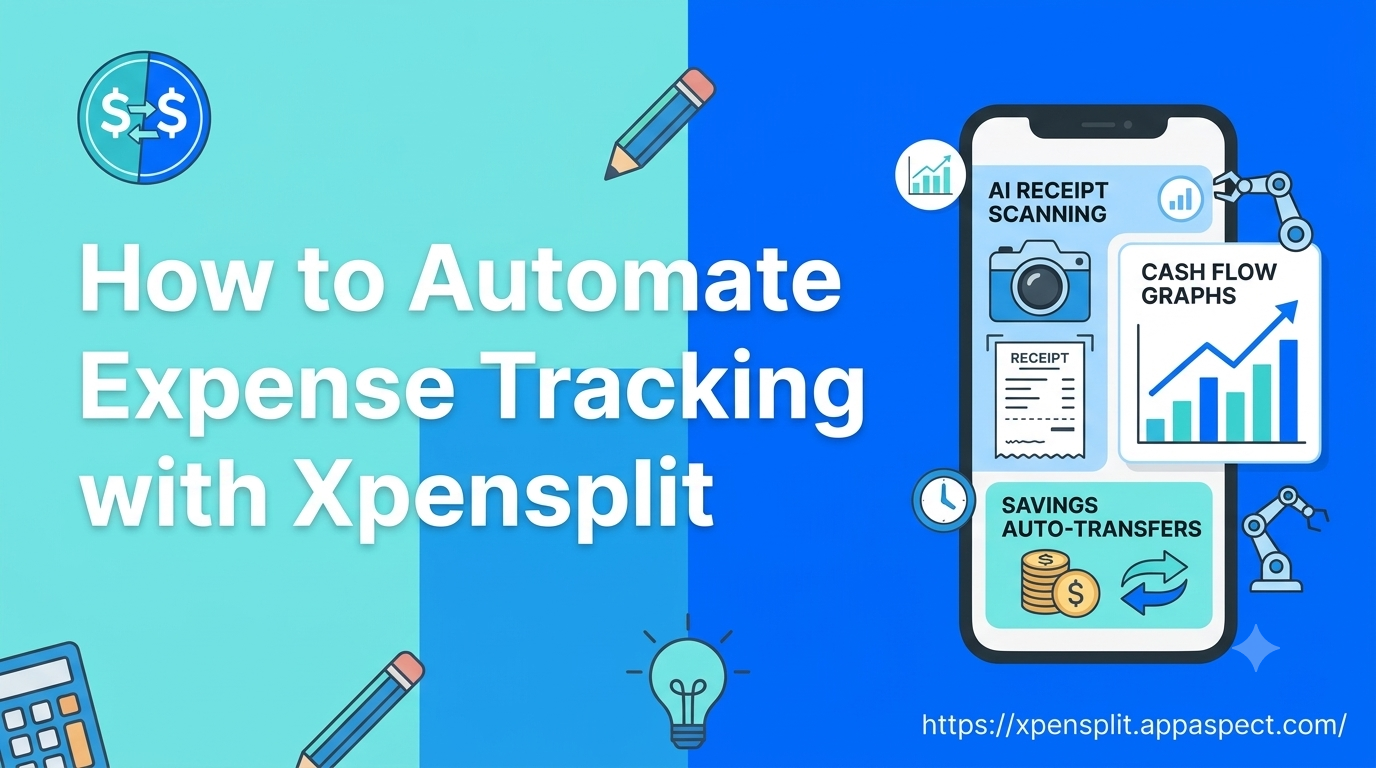
AI receipt scanning is the cornerstone of any automated expense tracking guide because it converts paper-based proof of purchase into structured data instantly. With Xpensplit, you simply photograph a receipt or forward an email attachment, and the built-in AI extracts the merchant, date, amount, and category.
- Snap a receipt with your phone’s camera or use the email forward feature.
- Let Xpensplit’s AI read the image; within seconds the expense appears in your ledger.
- Verify or edit the suggested category-most entries are spot-on, so you spend less than 10 seconds per receipt.
Why act now? A recent study of finance-app users showed that manual entry adds an average of 12 minutes per expense, while AI scanning cuts that to under a minute, saving roughly 8 hours per month for a typical household. By automating receipt capture, you eliminate forgotten expenses and gain a more accurate picture of where every dollar goes.
[!TIP] Keep your phone’s camera lens clean and use good lighting; the AI works best with clear, high-contrast images.
How to automate expense by Syncing Xpensplit with Calendar Apps for Predictive Cash Flow
Predictive cash flow becomes possible when your expense tracker knows about upcoming events. Xpensplit can sync with calendar apps to import scheduled bills, subscriptions, and one-off expenses, turning your calendar into a budgeting engine.
- Connect your calendar (Google Calendar, Outlook, or Apple Calendar) in the Xpensplit settings.
- Tag events with a “Bill” or “Subscription” label; Xpensplit reads the label and creates a projected expense.
- Review the forecast in the “Cash Flow” view, where upcoming outflows appear alongside actual spend.
Concrete example: If you have a rent payment scheduled for the 1st of each month, Xpensplit will automatically reserve that amount in the cash-flow forecast, warning you if your projected balance dips below a safety threshold. This foresight lets you adjust discretionary spending before the bill hits your account.
[!IMPORTANT] Set the calendar sync frequency to “real-time” so any new event appears instantly in your cash-flow model.
Set Up Rule-Based Auto-Transfers for Savings Goals
Saving without thinking is the holy grail of monthly budgeting automation. Xpensplit lets you define rule-based auto-transfers that move money into designated savings buckets the moment a qualifying expense lands in your account.
- Create a savings goal (e.g., “Emergency Fund”) and assign a target amount.
- Define a rule such as “Every time a grocery expense exceeds $100, transfer $20 to Emergency Fund.”
- Activate the rule; Xpensplit monitors incoming transactions and triggers the transfer automatically.
Reason to implement today: Studies on behavioral finance reveal that automatic savings increase the likelihood of reaching financial goals by 40 % compared with manual transfers. By embedding the rule directly into your expense flow, you remove the decision point that often leads to procrastination.
Implement Real-Time Alert Triggers for Overspending
Real-time alerts turn your phone into a personal finance watchdog. Xpensplit can push notifications the instant an expense breaches a predefined limit, giving you a chance to intervene before the budget is compromised.
- Set a category limit (e.g., “Dining Out - $300 per month”).
- Choose an alert channel - push notification, email, or even a smartwatch vibration.
- Enable “instant alert”; Xpensplit evaluates each transaction as it arrives and notifies you if the limit is exceeded.
Concrete scenario: You’re on a business trip and a hotel minibar charge pushes your “Travel” budget over the $500 cap. Within seconds you receive a notification, allowing you to decide whether to adjust the budget, request a refund, or simply acknowledge the overspend. This immediate feedback loop prevents small slips from snowballing into larger financial stress.
[!NOTE] Pair alerts with a quick “snooze” option so you can pause notifications during known high-spend periods, like holidays, without disabling the safety net entirely.
FAQs
Can Xpensplit scan receipts automatically?
Yes. Xpensplit’s AI receipt scanning works automatically once you enable the camera or email forward feature, turning each image into a categorized expense without manual entry.
How does Xpensplit sync with calendar apps?
You link your preferred calendar in the app’s integration settings; Xpensplit then reads events labeled as bills or subscriptions and adds them to the cash-flow forecast in real time.
What are rule-based auto-transfers in Xpensplit?
Rule-based auto-transfers let you define conditions (e.g., expense amount, category) that trigger an automatic move of funds into a savings goal, ensuring disciplined saving without extra steps.
Can I get real-time overspend alerts in Xpensplit?
Absolutely. By setting category limits and choosing an alert channel, Xpensplit sends instant notifications whenever a transaction exceeds the defined threshold.
Does Xpensplit integrate with tax software?
While Xpensplit focuses on expense capture and budgeting, the exported data can be imported into most tax preparation tools, simplifying year-end filing.
Key Takeaways
- Activate AI receipt scanning to eliminate manual entry and capture every spend instantly.
- Sync your calendar so upcoming bills appear in cash-flow forecasts, preventing surprise shortfalls.
- Create rule-based auto-transfers to grow savings automatically as you spend.
- Enable real-time alerts for immediate overspend warnings and smarter budget control.
- Leverage Xpensplit’s core capabilities consistently to turn automation into a habit, not a one-off setup.
Conclusion
Automating expense tracking with Xpensplit transforms a tedious chore into a seamless, data-driven process. By deploying AI receipt scanning, calendar sync, rule-based savings, and instant alerts, you gain a clear, predictive view of your finances and the discipline to stay within budget. The result is less time spent reconciling, fewer missed payments, and more money flowing toward your goals.
Ready to Try It Yourself?
Start using Xpensplit today and let the app handle receipt capture, cash-flow prediction, and automated savings for you. Experience the peace of mind that comes from a truly automated expense tracking guide-just click the link and begin your journey toward smarter personal finance. Get Started with Xpensplit
Further Reading
- Personal finance - Overview of managing individual money matters.
- Cash flow forecasting - Techniques for predicting future cash positions.
- Behavioral finance - How psychology influences financial decisions.
- Financial technology - The broader context of fintech innovations.
- IRS Publication 525 - Guidance on taxable and nontaxable income, useful for tax integration considerations.